> ## Documentation Index
> Fetch the complete documentation index at: https://docs.nscale.com/llms.txt
> Use this file to discover all available pages before exploring further.
# Quickstart
> Get up and running with Nscale’s serverless inference models in just a few steps. This guide will walk you through signing up, adding credit to your account, and making your first API call to start leveraging the power of our AI models.
 ## 1. Sign up
* Visit the [Nscale website](https://www.nscale.com/) and click the **Login** button.
* Currently, you can only sign up using **Google (SSO)**. Click the **Sign in with Google** button and select your Google account to complete registration.
* Once signed in, you will be redirected to your Nscale dashboard.
## 1. Sign up
* Visit the [Nscale website](https://www.nscale.com/) and click the **Login** button.
* Currently, you can only sign up using **Google (SSO)**. Click the **Sign in with Google** button and select your Google account to complete registration.
* Once signed in, you will be redirected to your Nscale dashboard.
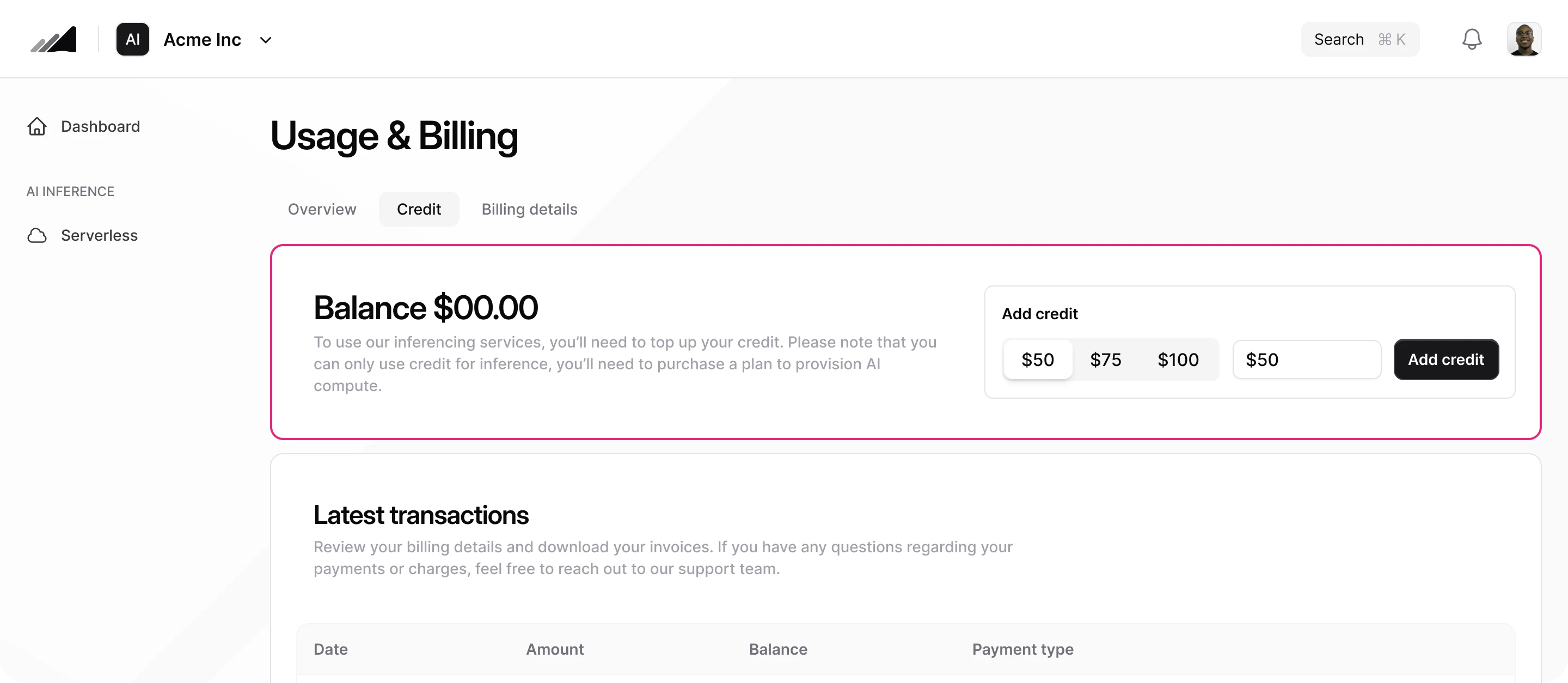 ## 2. Add credit to your account
* Go to the **Usage & Billing** section from the navigation bar.
* Select the **Credit** tab.
* Choose the amount you'd like to add and click **Add credit.**
* Nscale accepts all major credit and debit cards.
* Follow the Stripe payment flow to securely complete your transaction and add funds to your account.
* Early users may be eligible for free credits—check for promotional offers.
## 2. Add credit to your account
* Go to the **Usage & Billing** section from the navigation bar.
* Select the **Credit** tab.
* Choose the amount you'd like to add and click **Add credit.**
* Nscale accepts all major credit and debit cards.
* Follow the Stripe payment flow to securely complete your transaction and add funds to your account.
* Early users may be eligible for free credits—check for promotional offers.
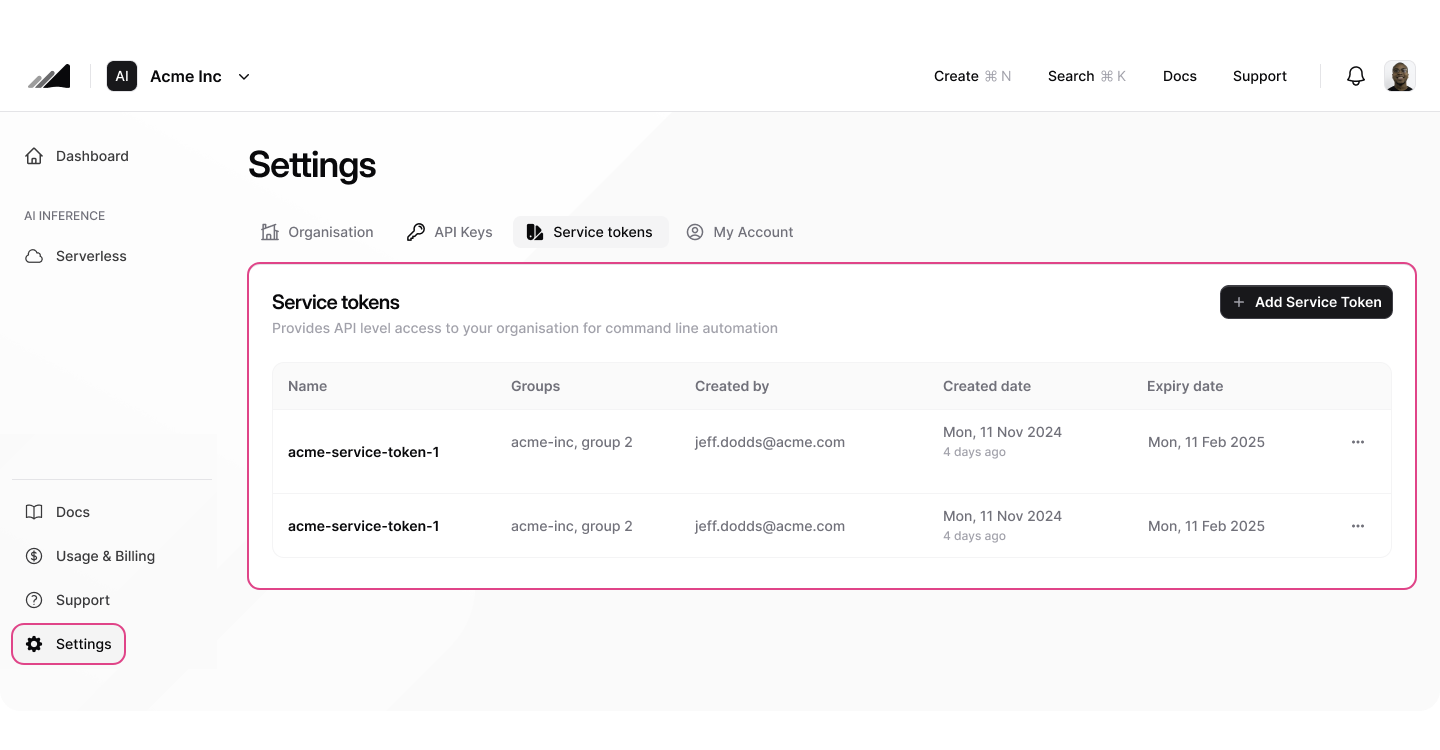 ## 3. Create a service token
* Go to **Settings** from the navigation bar.
* Select the **Service Tokens** tab.
* Click **Create Service Token** and assign it a name.
* Copy the generated service token and store it securely. Note: The token will not be displayed again, for security.
* Make use of environment variables or similar strategies to protect your service token from unauthorised access.
## 3. Create a service token
* Go to **Settings** from the navigation bar.
* Select the **Service Tokens** tab.
* Click **Create Service Token** and assign it a name.
* Copy the generated service token and store it securely. Note: The token will not be displayed again, for security.
* Make use of environment variables or similar strategies to protect your service token from unauthorised access.