

Prerequisites: You need an existing project, an available region, and permissions to create object storage endpoints and access keys before you can use Object Storage.
Summary
This page explains how to create and use Object Storage in the Nscale Console. By following the steps, you will:- Create a project-scoped, region-bound S3-compatible endpoint
- Find and filter Object Storage endpoints by region and status
- Manage endpoint access keys and identity policies from the endpoint details page
- Retrieve the endpoint URL after provisioning completes and use it with an S3-compatible client
Availability
This feature is currently only available for the reserved cloud service environment.Requirements
- Permissions to create and manage object storage resources
- A target project and region selected for the object storage endpoint
- An identity policy that allows the S3 actions your workload needs
- An S3-compatible client or SDK, such as the AWS CLI
The endpoint URL is available only after the endpoint finishes provisioning.
Object Storage Lifecycle
Identity Policies
Identity policies define which S3 actions an access key can perform. Policies use AWS-style JSON policy documents withVersion, Statement, Effect, Action, and Resource fields.
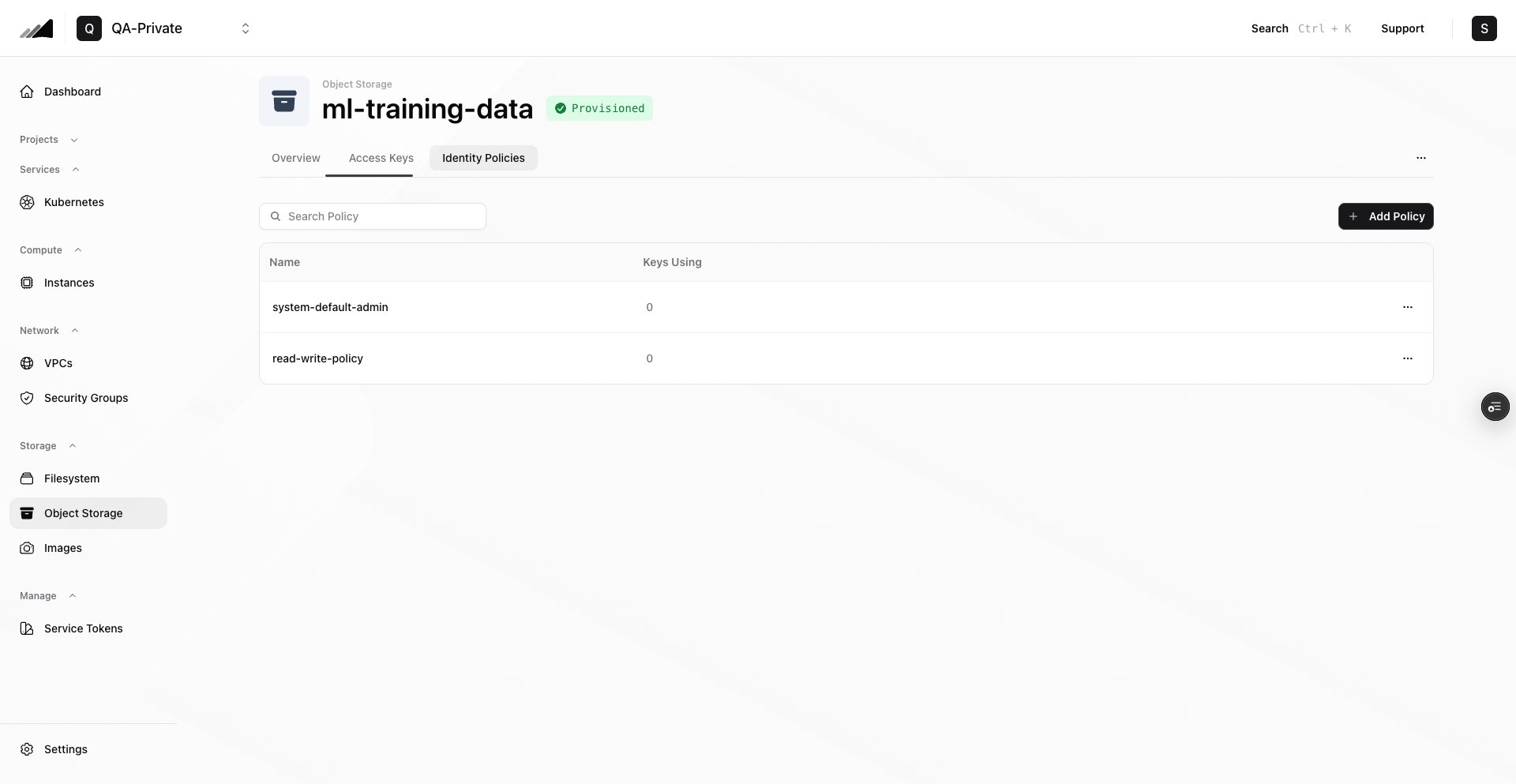
If you create an endpoint without custom policies, Object Storage seeds a default system-default-admin policy that allows s3:* on all resources. For production workloads, create narrower policies for each workload or team.
In the console, identity policies are managed from the Identity Policies tab. New policies are added by providing a policy name and uploading a .json policy document.
Example read/write policy for all buckets:
S3 API Compatibility
Object Storage is S3-compatible for common bucket and object workflows, but it does not implement every AWS S3 feature. See the unsupported features below:Step-by-Step
-
Open Object Storage
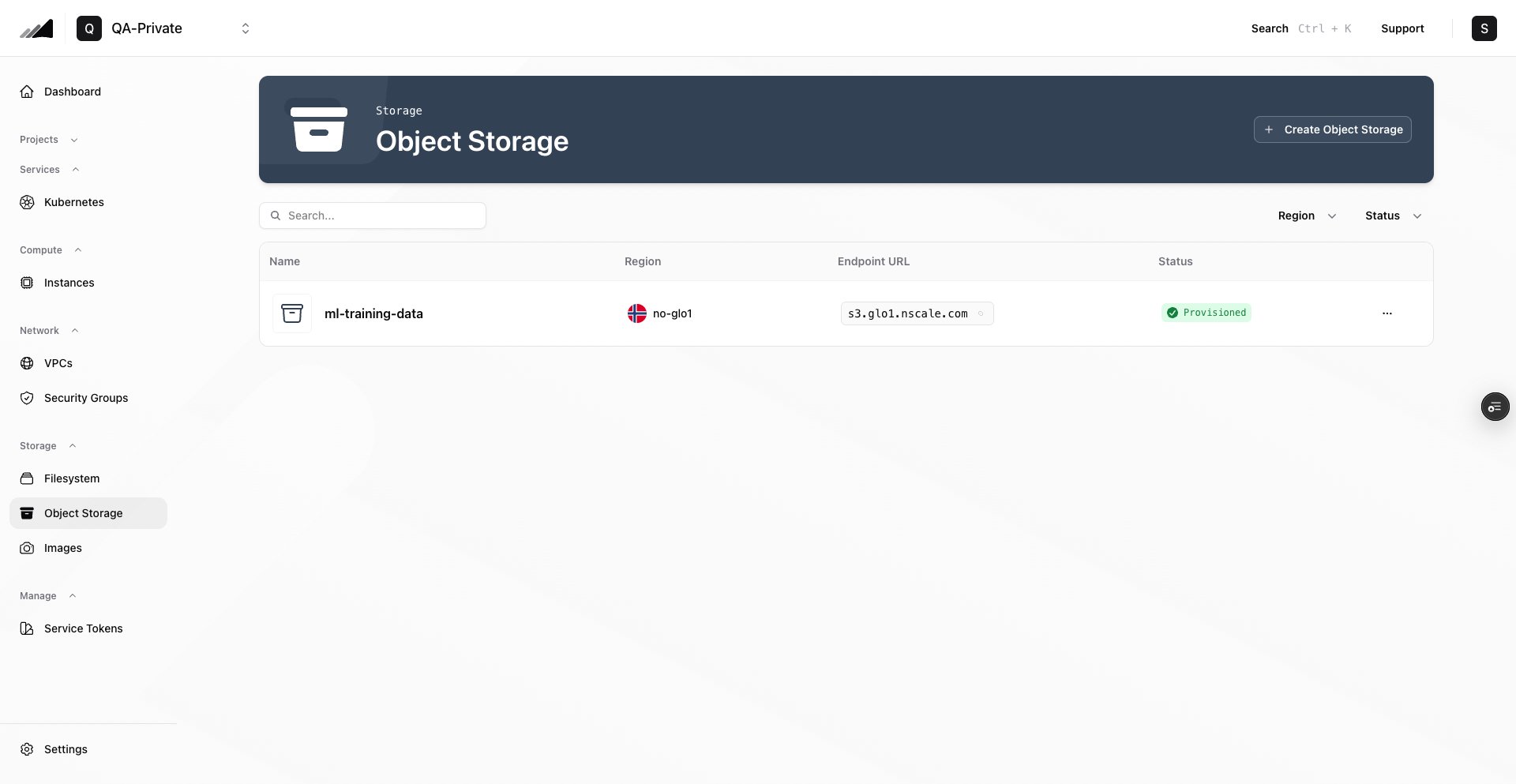
- In the Console, open your project, then go to Storage → Object Storage
- Use the search field to find an existing endpoint by name
- Use the Region and Status filters to narrow the list
-
Create the Object Storage endpoint
- Click Create Object Storage
- Enter an Object Storage Name
- Select the Project
- Select an available Region from the region picker
- Click Create Object Storage and wait for the endpoint to reach Provisioned
-
Open the endpoint details page
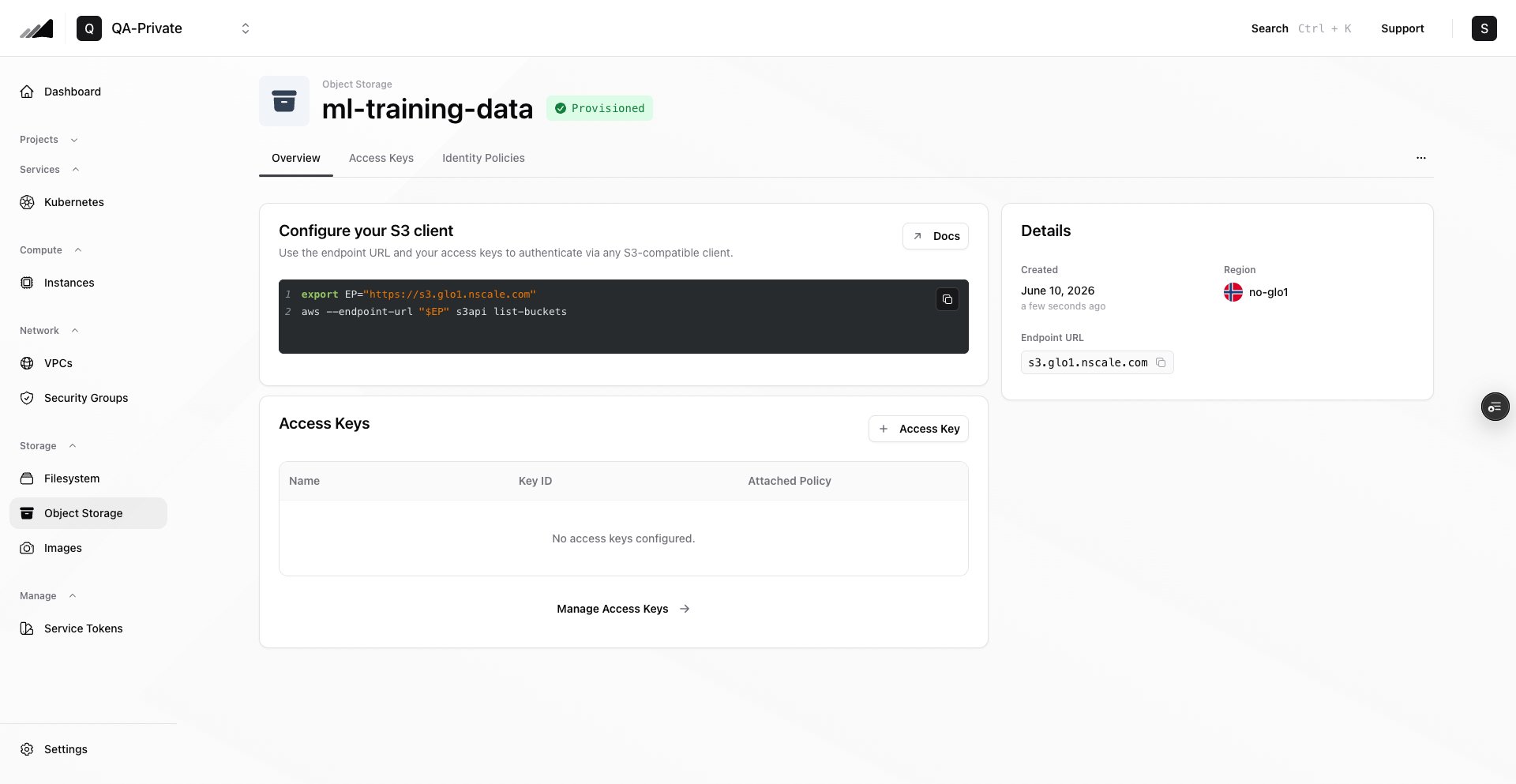
- Select the endpoint from the Object Storage list
- Confirm the header shows the endpoint name and a Provisioned status badge
- Use the Overview, Access Keys, and Identity Policies tabs to manage the endpoint
-
Add or review identity policies
- Open the Identity Policies tab
- To add a policy, click Add Policy
- Provide a Policy Name and upload a
.jsoncustom policy document - Click Add Policy
-
Create an access key
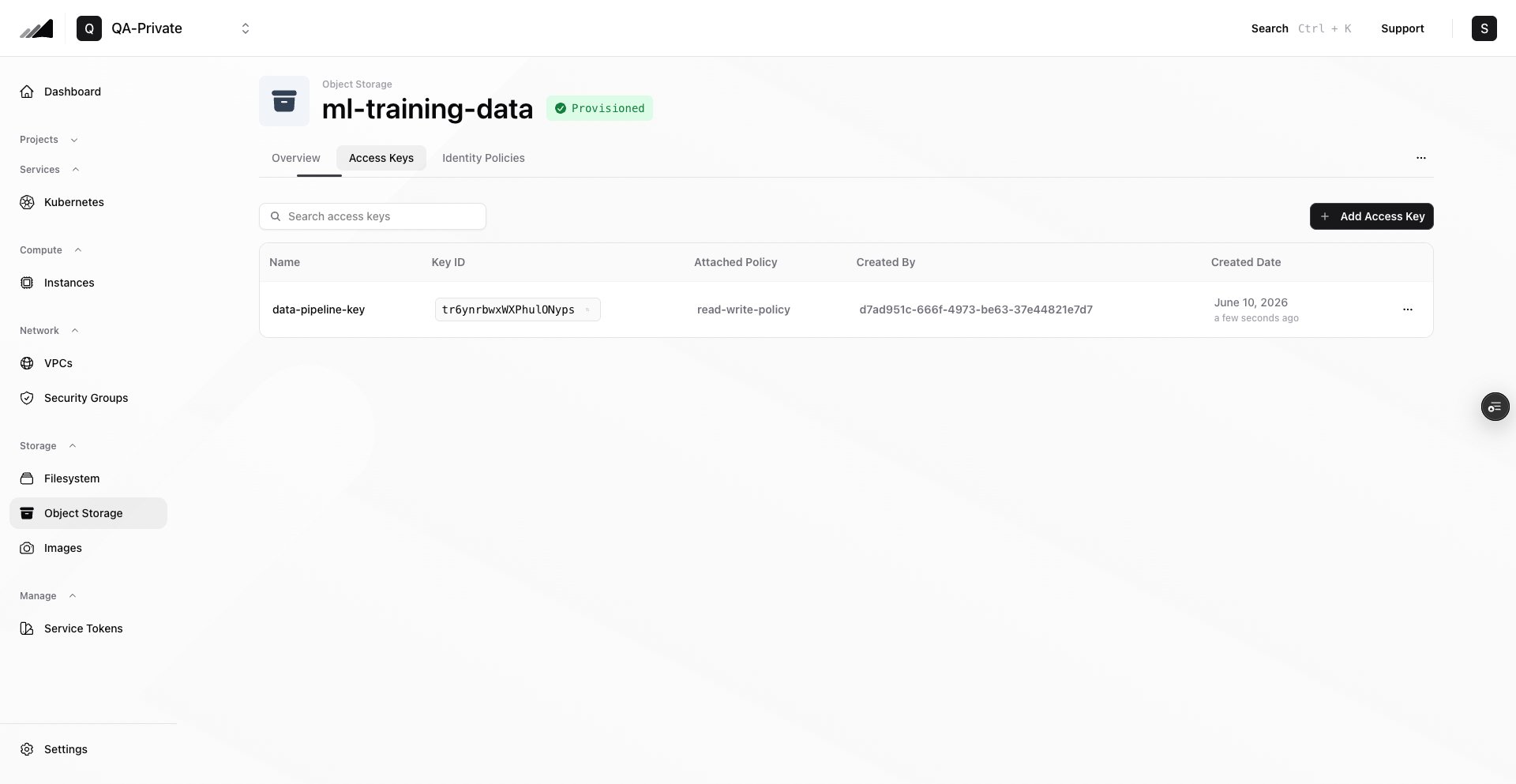
- Open the Access Keys tab
- Click Add Access Key
- Enter an access key name
- Click Next: Select Policy
- Select an existing identity policy, or upload a custom
.jsonpolicy document and give it a policy name - Click Add Access Key
- Copy the Access Key ID and Secret Access Key immediately from the creation dialog
-
Configure your S3 client
- Set the endpoint URL, access key ID, and secret access key in your S3 client
- Use any S3-compatible workflow to create buckets and manage objects
Share objects with pre-signed URLs
Object Storage does not support public objects or anonymous access. To give someone temporary access to an object without sharing your access keys, generate a pre-signed URL. Anyone with the URL can download the object until the URL expires, and access stays time-limited and tied to a specific object, which is safer than making the object public.Pre-signed URLs are valid for a maximum of 7 days (
604800 seconds). For continued access, generate and share a new URL before the current one expires. Generating a new URL does not extend the old one.curl "$EP/$BUCKET/demo.mov", is denied.
When you use pre-signed URLs:
- Sign with a least-privilege key. The signing key must allow
s3:GetObjectfor the object being shared. Consider generating URLs with a dedicated access key whose read-only identity policy is scoped to the objects you want to share. - Keep expiry times short. Choose the shortest
--expires-invalue that fits your use case, and treat the URL like a secret while it is valid. - Revoke access early by deleting the key. Deleting the access key that signed a URL invalidates every URL signed with it, even before they expire.
Terraform Example
If you provision infrastructure with Terraform, use the Object Storage example in the publicterraform-provider-nscale repository as a starting point:
Object Storage Terraform Example
Create an Object Storage endpoint, identity policy, and access key with the nscale Terraform provider
Common Issues / Troubleshooting
- Symptom: You can’t select a region when creating Object Storage Likely cause: The selected project already has an endpoint in that region. Fix: Choose another project, or delete the existing endpoint for that project/region if it is no longer needed.
- Symptom: No endpoint URL is shown Likely cause: The endpoint is still provisioning or has not published its public exposure details yet. Fix: Wait for the endpoint status to become ready/provisioned. If the URL still does not appear, check the endpoint health status or contact support.
- Symptom: You can’t retrieve an access key secret later Likely cause: Secrets are returned only once, when the access key is created. Fix: Create a new access key, update your workload with the new credentials, then delete the old access key.
-
Symptom: S3 requests fail with access denied
Likely cause: The access key is attached to an identity policy that does not allow the requested S3 action or bucket/object resource.
Fix: Review the policy attached to the access key. Confirm it includes the required
s3:actions and the correct bucket/object resources. - Symptom: You can’t remove an identity policy Likely cause: One or more access keys still reference that policy. Fix: In the Identity Policies tab, check Keys Using. Delete or recreate the access keys that use the policy, then remove the policy.
-
Symptom: An object uploaded with a
public-readACL still returns access denied for unauthenticated requests Likely cause: Object Storage does not support public (anonymous) access. ACLs such aspublic-readdo not make objects publicly readable. Fix: Generate a pre-signed URL for the object and share that URL instead.
Related Resources
CLI: Object Storage
Manage object storage endpoints, policies, and access keys from the command line
Filesystem
Use shared NFS storage when workloads need a mounted filesystem
Instances
Run S3-compatible clients from your compute instances
API Reference
Manage object storage endpoints and access keys programmatically via the Storage Service API