

Installation
You can install the CLI using any of the following methods:Download binary
Download the binary for your operating system from the releases page.Homebrew (for macOS users)
You can install the CLI using Homebrew:Authentication
Before using any commands that interact with Nscale resources, authenticate with:Credential precedence
The CLI resolves which credentials to use in this order, from highest to lowest priority:NSCALE_SERVICE_TOKENenvironment variable — when set, the token is used directly and every source below is ignored (no keyring lookup happens at all).-u, --userflag, when explicitly passed — selects that named entry from the local keyring (the one created bynscale login) and takes precedence over any active context.- Active context’s user — the
userfield of the context selected via--contextor previously set withnscale contexts use. Used whenever-uis not passed on the command line. defaultkeyring entry — the fallback when no context is active and-uwas not passed.
Global flags
These flags are available on every command:Environment variables
Contexts
Contexts let you switch between different organizations and user configurations without re-specifying flags on every command.Output formats
Mostlist and get commands support a --json flag for machine-readable output:
--json and -q are mutually exclusive — pick whichever fits your downstream tooling.
Input formats
create and update commands accept input from a JSON file (--file) or standard input (--stdin):
--dry-run to preview the request payload without making any changes:
Interactive mode
When running outside of a CI environment, the CLI falls back to interactive prompts for any missing parameters. This means you can run commands without flags and be guided through the required inputs step by step. For example,list commands will present an organization picker if --org is not provided:

create commands will prompt for each required field when no --file or --stdin input is given:
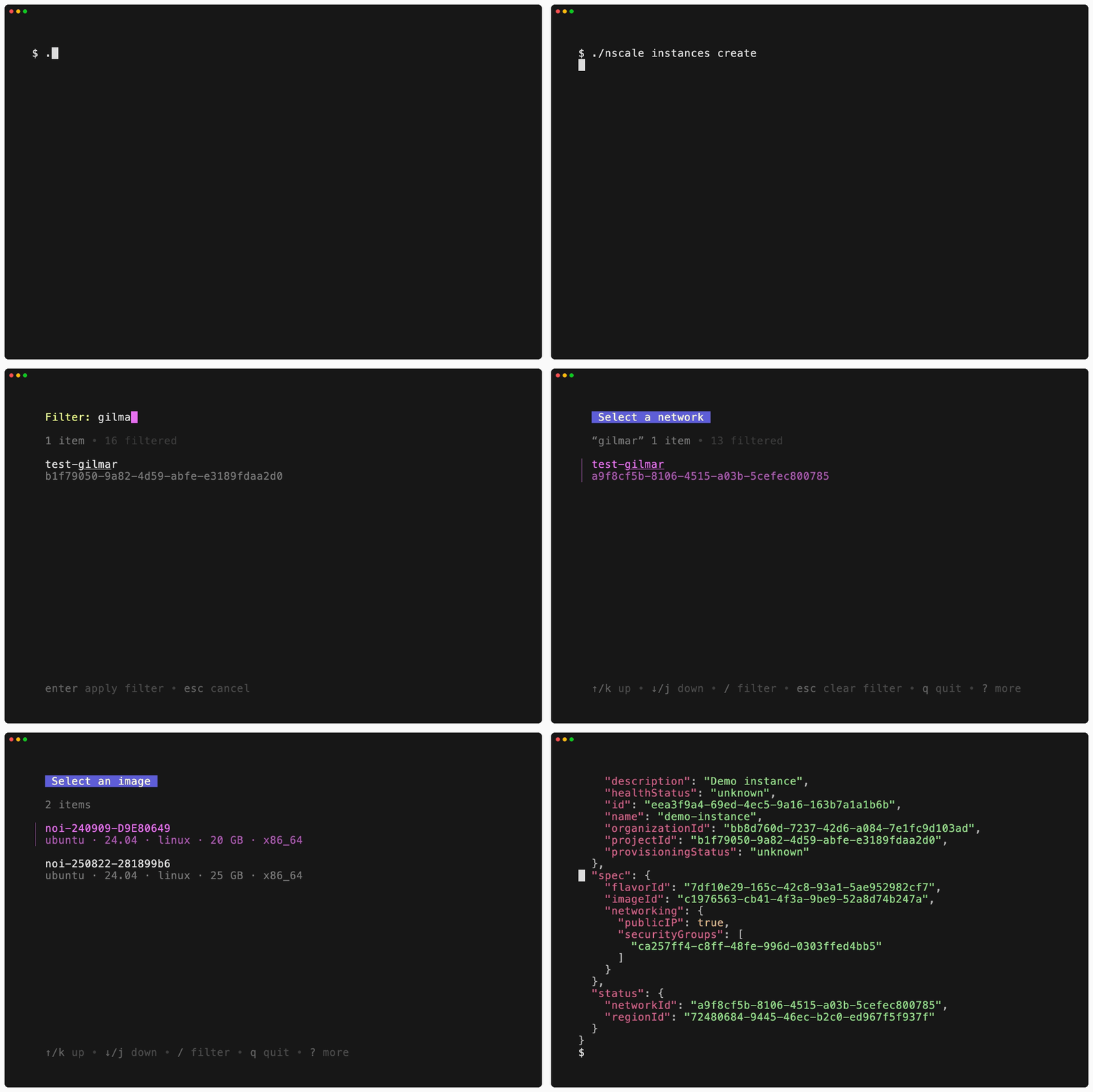
--ci or set the CI environment variable.
Shell completion
Bash
Zsh
Fish
PowerShell
Query output with -q
Most commands that return data accept -q, --query, which runs the JSON response through a jq filter so you can extract a field or reshape the output without piping into a second process. See Query output with -q for examples.
Available commands
These pages track the latest CLI release. If a command below is not recognized, check your version withnscale version and upgrade — brew upgrade nscale, or download a newer binary from the releases page.